From the Advanced plan
Point of sale POS
A cashier sales screen inside Duwam that works with your inventory and your books in the same account — available from the Advanced plan and during the free trial.
14 days with every feature, no credit card — then the Advanced plan or higher.
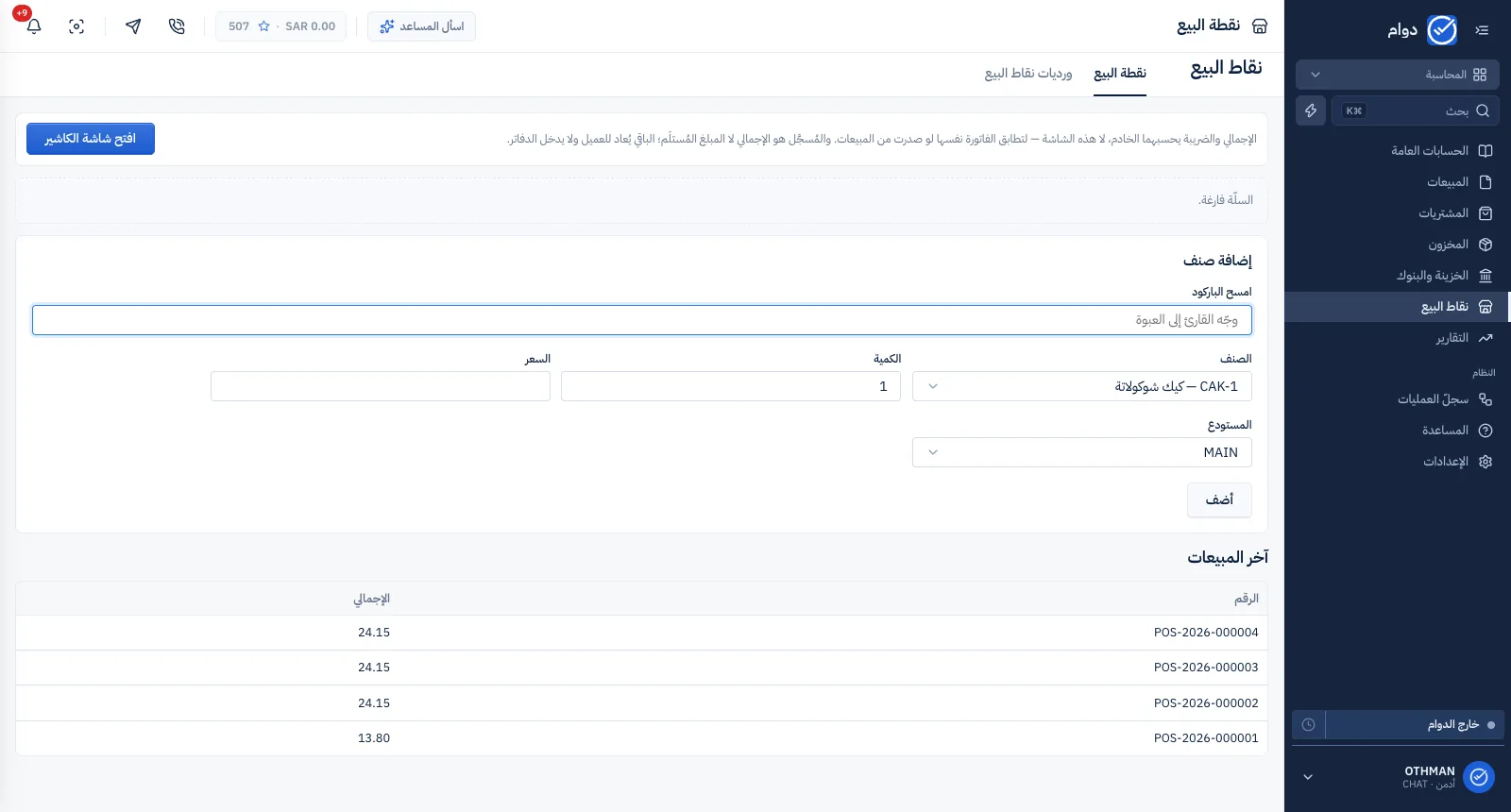
Scan, sell, close the sale
Try the cashier screen: items go in by scan, VAT is worked out, and the sale lands in the till and the books at once.
- 1Tap an item to add it to the basket.
- 2Tap it again or add another — quantity and VAT update.
- 3Press “Pay cash” to complete the sale.
The basket is empty.
- Before VAT
- 0.00 SAR
- VAT 15%
- 0.00 SAR
- Total
- 0.00 SAR
Example at Saudi VAT, 15%. VAT is worked out on the invoice total, not on each line — as Duwam does.
One system for every department in your company
HR, CRM, accounting and point of sale in one account — each department with its own permissions and its own space.
HR
Attendance (clock-in/out), payroll, leave and tasks.
ExploreCRM
A unified inbox, WhatsApp, contacts and deals.
ExploreAccounting and inventory (ERP)
Journal entries and a chart of accounts, sales and purchasing, warehouses and stock counts.
ExploreStart your free trial
14 days with every feature, no credit card — then choose the plan that fits your company.